
Lapis
2 to 5 players, official pack
5,99 € incl. VAT/month
No commitment
RAM8 GB DDR4
Processori7-8700
vCores3
NVMe storage30 GB
Databases4
The mod that lets you catch, train and battle creatures in Minecraft. Install the official Cobblemon modpack or Cobbleverse in one click from the panel, and set off on an adventure with your friends on an always-online server.

All plans are delivered instantly and scalable: upgrade to a higher plan at any time and you only pay the difference.
2 to 5 players, official pack
5 to 15 players, most popular

Public server or Cobbleverse

Big Cobblemon modpacks, DDR5

For heavy modpacks and big player spikes. You build your own server, with guaranteed CPU and RAM.
Included in all plans
Panel Pterodactyl1.3 Tbit/s DDoS protection.minemc.fr domain includedSFTP and file accessSub-users24/7 support (tickets and Discord)Unlimited slots on all plans, the only limit is the power you choose.
Cobblemon adds hundreds of creatures, models and animations: it needs more memory than a vanilla server.
The comfortable minimum for the official modpack with a few friends. Below that, the server lags as soon as several players explore.
The right choice for 5 to 15 players, or if you add building, quest or new-biome mods.
For a public server or big modpacks like Cobbleverse, which add many mods around Cobblemon.
All Cobblemon modpacks from Modrinth and CurseForge install from the panel's Modpacks tab.
The reference version on Fabric: Cobblemon and its essential mods, ready to play.
A very complete modpack built around Cobblemon, with new structures, biomes and quests.
Start from a Fabric or NeoForge server and add your mods one by one, or upload your mods folder via SFTP.
Back up your world before a modpack update, and roll back in one click if needed.
Give console access to your friends or staff, with only the permissions they need.
A .minemc.fr address so your friends can connect without remembering an IP.
Choose your plan: the server is created automatically, within seconds.
Modpacks tab, search for “Cobblemon”, choose the version, click: the panel installs everything.
They install the same modpack in their launcher (Modrinth, CurseForge, Prism) and join your address.
Install, configure and manage your server without a command line.
Search for a plugin, click, and it's installed. The main sources are built in.
Install a complete modpack directly from the major platforms.
Switch version or server type in one click, from 1.8 to the latest versions.
Live console, resource usage, files, databases and sub-users, all in one place.
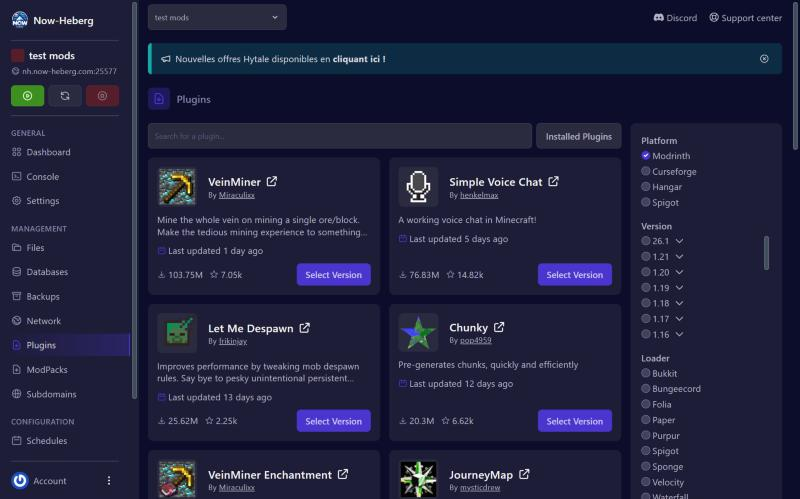
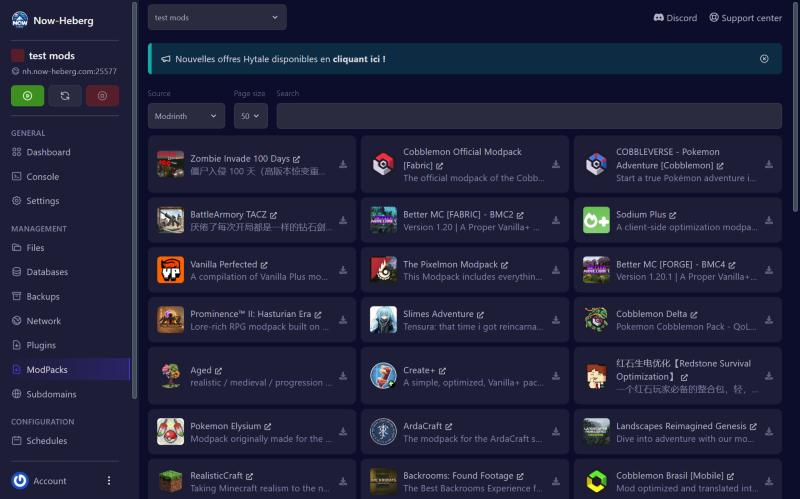
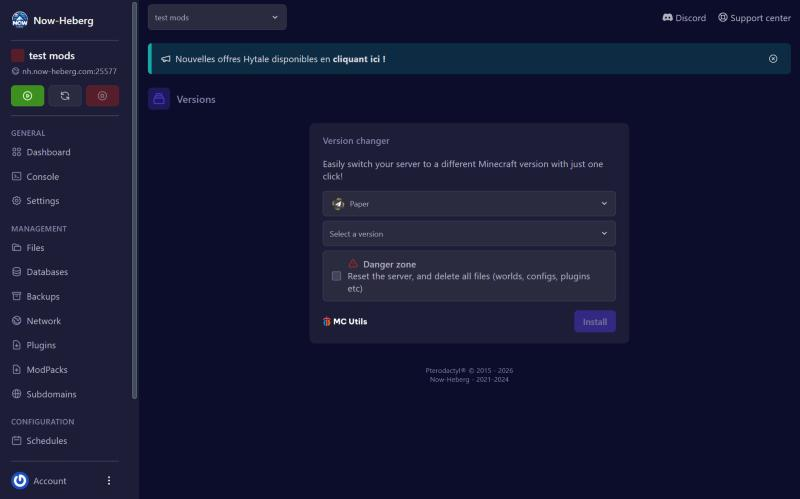
 Now-Heberg
Powerful hardware, protected network, servers close to your players.
Cobblemon is a fan-made Minecraft mod: you catch creatures, train them and make them battle, in a normal Minecraft world. On a server, everyone keeps their own team and boxes, and you can organize trades, battles and arenas between players.
The official pack runs on Fabric, like most Cobblemon modpacks. Your players must have exactly the same modpack and version as the server: the easiest way is to give them the name of the modpack to install from their launcher.
A player who can't connect almost always has a different mod version. If the server stops at startup, check the Java version in the Startup tab (Java 21 for Minecraft 1.21.1), then the error report: our panel analyzes crashes and points to the mod responsible.
Start with the official pack, then add mods once everything works. If you run low on RAM, upgrade from your client area: you only pay the difference, and your world is kept.
Step by step: our Minecraft guides.
Reviews published on Trustpilot.
“Powerful machines, responsive and attentive support, you can't beat it! […] Prices are fair and affordable for small budgets.”
“Really great host. After almost 6/7 months with them, the quality is there. I recommend them without hesitation!”
Yes, the mod and its modpacks are free. You only pay for server hosting, and each player needs Minecraft Java Edition.
Lapis (8 GB) for a few friends with the official pack, Iron (12 GB) for 5 to 15 players, Gold (16 GB) or Copper (16 GB DDR5) for a public server or Cobbleverse.
No: Cobblemon is a Java mod, so each player must install the same modpack on Minecraft Java Edition.
Yes, from the Modpacks tab. Make a backup first: switching modpacks can make the old world incompatible.
Yes, the same modpack and version as the server, from a launcher such as Modrinth, CurseForge or Prism Launcher.
It's instant: the server is created as soon as payment is confirmed, and all that's left is to install the modpack.
Server delivered instantly, modpack installed in one click, no commitment.
Cobblemon is a fan project, not affiliated with Nintendo, Game Freak or The Pokémon Company. Minecraft is a trademark of Mojang AB. Now-Heberg is not affiliated with any of these companies.
Join our Discord server for exclusive news, updates and giveaways!